
JunkFile Cleaner
Si kand AR AppsSports
0.00.00 Reviews
- Version
- 1.2.0
- Installs
- 100.00K
- Age Rating
- Everyone
Screenshots
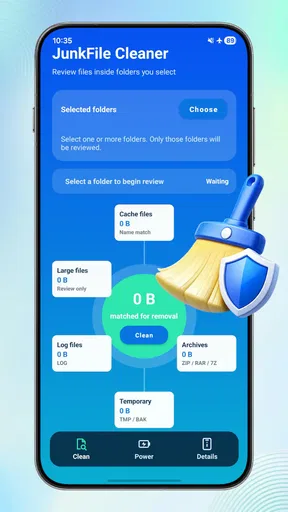
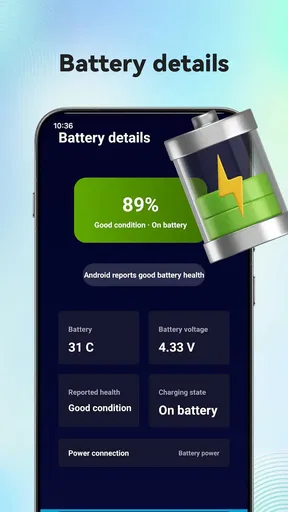
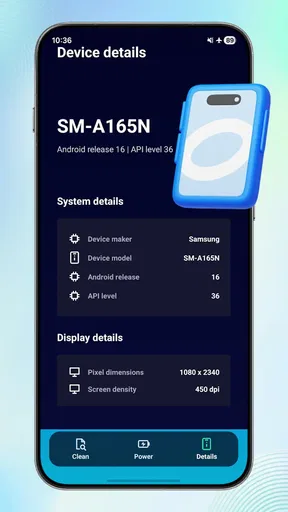
Our Review of JunkFile Cleaner
 Analysis by Appyee
I approached JunkFile Cleaner as a small, focused utility rather than a complete phone-maintenance suite, and that distinction matters. Its job is narrow: it helps remove empty folders from a device. In my experience, that makes it useful for tidying up the leftovers created by downloads, file transfers, uninstalled apps, and repeated folder creation, but it does not turn it into a general storage optimizer. My overall view is simple: if your phone has accumulated a messy directory structure and you want a straightforward way to clean that particular kind of clutter, this app is worth trying. If you expect it to find every unnecessary file or recover a large amount of storage, you should choose a broader tool instead.
A focused cleaner for a very specific kind of clutter
The app comes from Si kand AR Apps and sits in the Sports category, although its actual purpose is clearly practical file housekeeping. That category placement feels unusual, so I would not discover it by browsing for sports tools. I would look for it directly when the problem is empty folders. The app is free, available to everyone, and its current version is 1.2.0. It supports devices running Android 9 or newer, which covers many still-used phones while leaving older hardware outside its reach.
What I like most is the limited scope. Many cleaner apps try to combine temporary-file removal, duplicate detection, memory boosting, battery tools, notifications, and recommendations into one crowded experience. JunkFile Cleaner makes a much smaller promise. It concentrates on empty folders, so the user can approach it with a clear expectation instead of wondering which aggressive cleanup option might affect an important file.
That narrow purpose also sets the right standard for judging it. The main question is not whether it replaces a full file manager. It does not. The useful question is whether removing empty folders solves a real annoyance for you. For people who regularly move files between storage locations, test applications, or organize media manually, the answer can be yes. For someone whose phone is full because of videos, photos, offline maps, or app caches, the answer is probably no.
What the cleanup task is actually good for
Empty folders are easy to ignore because they do not usually consume much space. Their value as a cleanup target is organizational rather than dramatic. A folder tree with abandoned directories can make browsing slower for the person, even if the phone itself is not noticeably slower. When I open a file manager and see several old folders with no contents, I spend time checking whether they matter. Removing genuinely empty folders reduces that visual noise.
A realistic example is a phone used for frequent file transfers. Imagine downloading a document, creating a folder for it, moving the document elsewhere, and later uninstalling the application that created the original directory. Repeat that process with messaging attachments, camera exports, and temporary project folders, and the storage view becomes dotted with unused branches. JunkFile Cleaner is aimed at that exact situation. It can make the file structure easier to scan without requiring a long manual search.
Another useful case is preparing a device before handing it to another family member. I would not treat this app as a privacy or data-erasure solution, but clearing empty folders can make the remaining structure less confusing. The important distinction is that an empty folder is not the same as a folder containing old or sensitive material. The app’s narrow task should encourage careful expectations, not replace a proper review of personal files.
The strongest practical advantage is reduced decision fatigue
Manual cleanup sounds easy until the folder tree contains dozens of directories with unclear names. Opening each one takes time, and deleting a folder without checking it can create anxiety about losing something important. A dedicated empty-folder cleaner addresses the repetitive part of that process. Instead of asking me to judge every folder based on its name, it focuses attention on folders that meet a simple condition: they contain nothing.
That is a more meaningful benefit than a vague promise of making a phone faster. I would use it after a period of heavy file management, not necessarily every day. For example, after sorting a large batch of downloads, I might run the app to remove the empty shells left behind. This workflow keeps the tool in its proper place: a finishing step after organizing files, rather than a permanent background solution.
The free price also lowers the risk of testing it. I can see why a person would install it for one cleanup session and keep it available for occasional maintenance. Since it is rated for Everyone, it is also approachable for households where a less technical user needs help with a cluttered file structure. Still, ease of access does not mean the app should be used without reading the results before confirming a deletion.
Where the narrow design becomes a real weakness
The biggest limitation is obvious but important: empty folders are not the same as junk files in the broader sense. A phone can have serious storage pressure while containing very few empty folders. Large recordings, repeated photos, downloaded videos, offline content, and application data are usually more significant targets. JunkFile Cleaner should not be the first recommendation for someone who sees a low-storage warning and wants immediate relief.
I would also avoid assuming that every empty folder is useless. Some applications create directory structures in advance and expect them to remain available for future use. Removing an empty directory may not cause a problem, but it can change how tidy or predictable an application’s storage area looks. For that reason, I would review any scan or selection screen carefully and avoid treating automatic deletion as a substitute for understanding the folder locations.
There is also a psychological trade-off. A highly specialized tool can feel safe because it does less, yet that same simplicity may leave users wondering whether the cleanup was worthwhile. If the app removes empty folders but the storage total barely changes, that is not necessarily a failure; empty directories often occupy little space. The reward is a cleaner structure, not guaranteed free capacity. Anyone installing it for a dramatic storage increase may come away disappointed.
The category listing may create another small point of friction. Because JunkFile Cleaner appears under Sports, a person searching within ordinary storage or file-management categories might overlook it. I would rely on the app’s name and purpose rather than its category when deciding whether it fits. This does not change how the utility works, but it can affect how easily the right audience finds it.
A careful workflow makes the app more useful
I recommend using it in a deliberate sequence. First, finish any file moves or renaming you still need to do. Next, open a normal file manager and identify the broad areas that have become untidy. Then use JunkFile Cleaner as a targeted pass for empty folders. This order matters because deleting directory shells before completing your organization can create extra work if you later need to recreate them.
After the scan, I would inspect the folder paths rather than selecting everything automatically. A folder named after an application may be empty because the app was removed, or because the application is waiting to use it again. In a personal downloads area, deletion is usually easier to understand. In system-adjacent or application-specific locations, I would be more conservative. The safest habit is to treat the tool as a shortlist creator, not as permission to erase blindly.
It is also sensible to run the cleaner after a known cleanup event rather than on a rigid schedule. If you rarely create or remove folders, repeated scans add little value. If you frequently transfer media, unpack archives, or experiment with applications, an occasional check may keep the directory structure manageable. This event-based approach avoids turning a small maintenance task into another notification or routine that demands attention.
One non-obvious benefit is that the app can help reveal how your own file habits create clutter. After using it once, I would pay attention to which locations repeatedly produce empty folders. That can suggest a better organization method, such as using one stable export folder instead of creating a new folder for every small transfer. In that sense, the cleaner is not only a deletion tool; it can show where a workflow is generating unnecessary structure.
How it compares with the alternatives I would normally use
The usual alternative is a built-in file manager. That option is better when I need to inspect contents, rename folders, move files, compare locations, or make a decision based on context. A file manager gives me broader control and helps me understand what is inside a directory. Its weakness is the amount of manual work required to find empty folders across a large storage tree. JunkFile Cleaner is more convenient for that single repetitive task.
A full cleaning suite is the opposite comparison. It may be more suitable when the goal is to locate large files, duplicate media, temporary data, or other storage-heavy items. That broader coverage can produce more visible results, but it also introduces more categories to review and more opportunities to remove something I intended to keep. I would choose the larger suite for a low-storage problem and JunkFile Cleaner for a directory-organization problem.
Manual deletion remains the best alternative for cautious users who have only a few folders to inspect. It costs nothing and gives complete control. The app becomes more attractive when the number of empty folders makes manual browsing tedious. The trade-off is that a specialized cleaner asks me to trust its identification process, so I still prefer a quick review before confirming any action.
These comparisons also explain why I would not call it an all-purpose cleaner. Its strength is precision of purpose, not breadth. That can be refreshing on a phone where large maintenance apps feel excessive, but it means the user must choose it for the right problem. Installing it because the word “cleaner” sounds broad would be a mismatch between expectation and function.
Who should install it, and who should skip it
I would recommend JunkFile Cleaner to Android users who regularly manage folders themselves and notice a growing number of empty directories. It is especially suitable for people who download, export, archive, or transfer files often. It may also help less technical users who want a simple cleanup step without navigating every branch of storage manually, provided they are willing to review what is selected.
I would be more cautious about recommending it to someone who rarely opens a file manager. If empty folders have never bothered you, the app may not offer enough practical benefit to justify another utility on the phone. I would also steer away from it for anyone whose main concern is recovering substantial storage, removing duplicate photos, or controlling application cache. Those needs call for different tools and a broader inspection.
Parents or shared-device users should remember that an Everyone age rating describes accessibility, not a guarantee that every deletion decision is risk-free. I would show a less experienced user how to inspect folder locations before confirming cleanup. The app’s simple mission is easier to explain than a multifunction cleaner, but basic file-management care still matters.
The Android requirement is another practical consideration. Devices running Android 9 or later can use the app, while owners of older phones will need another approach. For supported users, the fact that it is free makes experimentation straightforward. I would install it when I had a visible empty-folder problem, run a cautious cleanup, and then decide whether its occasional usefulness justified keeping it installed.
My verdict after weighing the convenience against the limits
JunkFile Cleaner succeeds by refusing to solve too many problems at once. Its value lies in clearing empty folders and making a disorganized storage tree easier to browse. I appreciate that focused role because it is easy to understand and easy to fit into a post-organization routine. The developer, Si kand AR Apps, has presented a tool whose usefulness depends less on flashy extras and more on whether this particular type of clutter is bothering you.
My recommendation is therefore conditional but positive. If your problem is folder clutter rather than storage shortage, JunkFile Cleaner is a sensible free utility to try. Use it after moving files, inspect the proposed locations, and think of the result as improved organization rather than a guaranteed space-saving breakthrough. That expectation keeps the experience honest.
I would skip it when I need duplicate detection, large-file discovery, cache management, or detailed file operations. A built-in file manager is better for hands-on control, while a broader cleaner is better for a complete storage audit. But for the narrow job it targets, this app can remove a tedious manual step without asking me to adopt an oversized maintenance suite.
With over 100 thousand installs, it has reached a meaningful group of Android users, and its free availability makes the decision uncomplicated. I would not install it as a permanent cure for every kind of digital mess. I would keep it in mind as a small, occasional tool for the moment when an otherwise organized phone is still filled with empty folder shells. That is a modest promise, but it is also the reason the app can be useful when the situation matches it.
Verdict
Strengths of JunkFile Cleaner
- Quickly identifies cached files and leftover junk.
- Simple interface suitable for users of all experience levels.
- Helps free storage space without deleting personal files.
- Provides useful storage analysis before cleanup.
- Runs on demand, so you control when cleaning takes place.
Limitations of JunkFile Cleaner
- Some features may require a premium upgrade.
- Cleaning results can vary between Android devices.
- Aggressive cleanup may remove useful app cache data.
- Ads may interrupt the free version experience.
- Regular scans can consume battery and system resources.
Similar Picks in This Category
View All
BeSoccer: Soccer Live Score
BeSoccer apps4.3

Cricbuzz - Live Cricket Scores
Cricbuzz.com3.7

NFL
NFL Enterprises LLC2.4

Da Fit
MO YOUNG LIMITED3.6

ESPN
Disney4.5

LiveScore: Live Sports Scores
LiveScore Limited4.5
Frequently Asked Questions
What is JunkFile Cleaner and what does it do?
JunkFile Cleaner is an Android utility designed to help identify and remove unnecessary files that may occupy storage space. During testing, its main purpose was to scan areas such as temporary files, cached data, leftover installation files, and other disposable items. It is intended for users who want a simpler way to review storage clutter, although results should always be checked before deleting anything.
Is JunkFile Cleaner safe to use on my phone?
JunkFile Cleaner can be useful when handled carefully, but no cleaning application should be trusted to delete everything automatically without review. Before confirming a cleanup, check the categories and file details presented by the app, especially if your device contains downloaded documents, media, backups, or files from messaging applications. It is also sensible to install the app only from a reputable official store and review its requested permissions.
Can JunkFile Cleaner improve my phone’s performance?
Removing unnecessary files may free storage and can make it easier for the device to manage space, particularly when the phone is nearly full. However, JunkFile Cleaner is not a guaranteed performance booster, and deleting cache does not permanently solve slowdowns caused by old hardware, too many background services, battery problems, or system issues. Its most dependable benefit is storage management rather than dramatic speed improvements.
Will JunkFile Cleaner delete my photos, videos, or important documents?
The application is generally intended to target removable clutter, but users should not assume that every suggested file is useless. Some cleaning tools may detect large files, duplicate content, thumbnails, downloads, or application data that you still want to keep. Review the scan results carefully, deselect personal files, and create a backup before performing a large cleanup. This is especially important when clearing data from messaging or cloud-storage apps.
Does JunkFile Cleaner require payment or special permissions?
The availability of free features, premium options, advertisements, and in-app purchases can vary by version and region, so check the current store listing before downloading. Pay attention to the permissions requested during setup and consider whether they match the app’s cleaning functions. If a permission seems excessive or unclear, avoid granting it until you understand why it is needed and what information the application may access.
